



02 Aug 6+ Best WordPress Translation Plugins To Help Reach New Audiences 2021
Out here at web, not every website we understand that we find out. Once we find a foreign language or a language of which we are not aware of then all we do is close that up and look for an alternative. This is how user experience gets hurts. But if you’re a webmaster and wish to fix this little-hurting window then better use a translation plugin.
I got a collection of best WordPress translation plugin out here and all you need to do is to find out the best match as per requirements. Once requirements are matched then get the plugin’s package and get it installed over your website. Setting it up won’t be that hard if you already have good experience with WordPress script.
Also see:
- How To Translate a WordPress Theme (step by step guide)
- Learn how to Create and Grow your WordPress Blog
Best WordPress Translation Plugin
Let us just start with the list here and I hope this guide help you out getting things done. If you face any issues then let me know them via discussion section and I can come up with a solution ASAP.
Table of Contents
#1 Linguise

Linguise is the easiest tool for your WordPress website translation using a hybrid method (neural translation + content review). The neural automatic translation is based on the Google and Microsoft API with an overlay of Linguise to handle 100% of the HTML and language specificity.
All the WordPress content is translated, no matter the plugin or page builder used, and editable from frontend. The translated content is fully ranked in search engines because each of them has its own URL with all the international SEO requirements.
Main advantages of Linguise are:
– Implementation in 5 minutes top, 100% of the website is translated
– Translation quality is around 90% of a human translator
– The first month is free up to 400,000 words translated
– We can perform the installations for free
– All translated pages are perfectly indexed
– An algorithm that optimizes translations of inline content (HTML)
– We have a translation management interface for translators by language
– Almost zero impact on your website performance
– It is possible to do multi-account for resellers
#2 Weglot Translation Plugin
From installation to launch, the Weglot Translation plugin for WordPress takes your single language site and turns it into a multilingual powerhouse understood by people speaking over 60 unique languages. All in under five minutes.
It requires no specialized knowledge of the technical elements that make up websites or even an understanding of HTML (Hypertext Markup Language) or CSS (Cascading Style Sheets). Once installed, its seamless integration with your site gives the appearance of a job done by a professional web developer and a team of certified translators. What customers and competitors won’t realize is that the whole process took less than ten clicks of a button, and zero understanding of any language besides your native tongue.
Of the plethora of factors that make Weglot the only web translation plugin on the internet worth considering, it is the unmatched text detection and speed of translation that are the most valuable. These perks save you and your team weeks of work, and ensure that great content is your only concern.
The team behind Weglot realize that a major concern for web developers and copywriters, is having their SEO keywords and optimization rendered obsolete by a translation app. Hence, because SEO (Search Engine Optimization), is such an essential tool for driving traffic to your website, Weglot has ensured that dedicated URLs are provided for each translated page. They also follow Google’s best SEO practice for multilingual sites.
If you still aren’t convinced of the remarkable power of this WordPress plugin, Weglot offers potential customers a free trial, to give them the chance to test out its functionality.
#3 GTranslate
If you think the leading translation plugins are a little on the pricey side for you, then try GTranslate which is the most affordable premium plugin that comes at a cost of just $5.99 per month. You can set it up quickly because of its simple to use dashboard and I can assure you that readers are going to love your website once it’s activated.
It offers several useful features to a webmaster and few of them to multilingual readers themselves. For example, readers are allowed to choose the language they know or wish to read your website/blog on. You can simply add content in different languages (if you don’t believe in machine translation process through algorithms or software) by using GTranslate’s inline editor directly from the context and publish the whole article package.
Now a reader will be provided freedom to read the same article in different languages which isn’t translated by some software. I’m not saying here that software translations aren’t great, but they don’t offer sense to an article which a good writer can. Let me tell you one thing clearly here that GTranslate offers switching feature which works pretty fast.
Unlike some of the competitors, GTranslate does not restrict users based on number of words or pageviews as all of their plans are unlimited (except for the number of languages available depending on different pricing tiers). Lastly, one of the most important features is that translated pages will be indexed by search engines, which is important if you want to increase international traffic to your site.
There is no risk to try GTranslate with a 15 day trial available on all of their plans (new customers only) as well as a free and limited version available on their site.
#4 WPML Multilingual Plugin
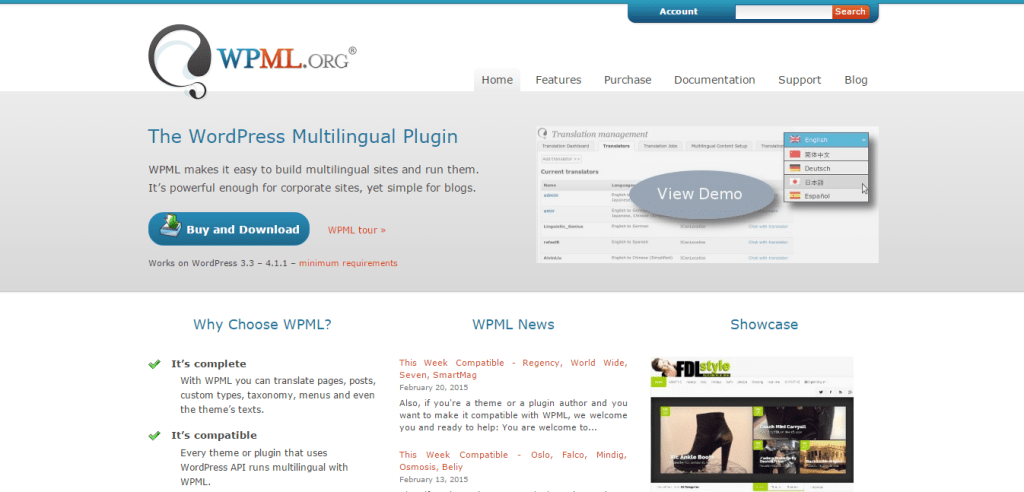
Next up is another premium solution. This plugin comes at a price which ranges from $29-$79 as per your requirements and it covers every handy feature you may or may not be using right on your website. This will offer an automatic process to your website using which it will turn the language into the one that reader wants to and that’s how it’s going to work.
It works very easily and can be setup within few minutes of time. The whole UI available within is pretty cool and the best thing is that it comes with dedicated support and regular updates. Also, if you’ve chosen the plan with a time limit then upgrading the license will cost you at a discounted rate.
If you wish to grab tons of all required features along with additional support then go for it. I’m sure it will support your theme and WordPress version as it’s compatible with thousands of themes out there.
#5 Multilingual Press

Our next plugin has a free version and it’s available at the official WordPress plugin store. You can grab its zip copy from the store or directly install it within the Dashboard. Just to make you feel comfy, plugin is upgraded regularly and it’s even compatible with latest version of WordPress script out there. One handy feature offered is that it sets the whole website back to normal when the plugin is deactivated without leaving any bad side effects.
It can let you connect unlimited websites with each other and even set a main language. You can set alternative languages for the readers to choose between which is a cool option right there. Using it for multiple websites is the real gift but if you need dedicated support then you may not like that because developers aren’t good at that. Also, it’s a free plugin so don’t keep that hope for long, rather use the plugin to grab the goodies.
#6 Google Language Translator
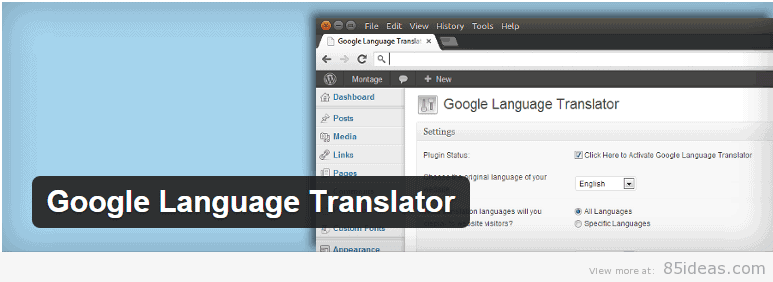
If you trust the branding and powerful tools which Google Translator offers then start using the 5th plugin on our list. You don’t need to pay anything to use it and yet it offers professional services without any flaws or performance issues.
Just get it installed and it will allow you to integrate the translation software offered by Google itself and you can put it there anywhere on any website. Just get the setup done right (which isn’t that hard because of very limited options) and see the magic done at reader’s end.
#7 Transposh WordPress Translation
Here comes the sixth plugin that is offered without any cost and available on official website. The developers are always keen to make it compatible with different versions of themes and WordPress script which is a handy tool. It comes with an intelligent translation which maintains it’s professional attitude around.
Automatic translation mode, MS translate, apertium backsends, drag and drop UI, extensive options for widgets, support for RTL and LTR and BuddyPress integration are its highlighting features and I’m sure that you’re going to find it worthy of what all its offering.
#8 qTranslate X
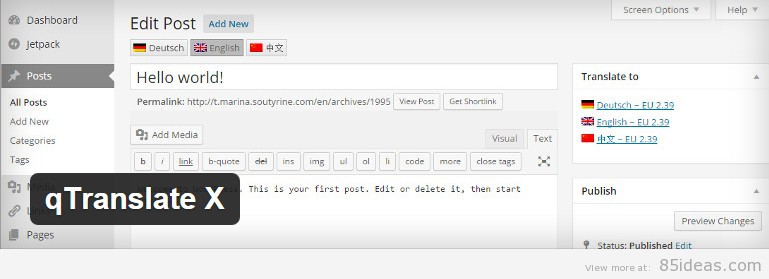
qTranslate X will get you handy features like professional human translation, language customization, multilingual dates, HTML support, different modes and optimization tools to maintain proper SEO marks for the website.
With all these features, the package is easy to install and operate and also you don’t need to pay anything to use it all over any number of website you’re running. You can off course use it on client website as well. Very popular international languages like German, Chinese (Simplified) and English (and many more) are supported by default.
Over to You
So I hope you got the requirements matched up with at least one plugin above. Don’t forget to share this guide with all your blogger friends to help them learn about it. Peace.
*last updated 09/29/2021
Brian H
Posted at 10:03h, 23 FebruaryHi Petra,
I have just check out qTranslate X on my demo site and it works with no issues thank you for your contribution. We will have this post updated shortly to reflect your recommendation. qTranslate X seems to be well maintained by it’s authors also 🙂
Rampster
Posted at 12:16h, 23 MarchGreat plugins.
Brian H
Posted at 13:09h, 23 MarchHi Rampster,
Thank you for stopping by and leaving your recomendation. We Have already include WPML and the link you mention is to a nulled site as this is a paid plugin I recommend all use to buy it or try other free alternative mentioned here.
Laurent Sabbah
Posted at 13:33h, 26 MayHave you tried https://www.bablic.com? Literally the easiest way to translate WordPress websites using their plugin.
Bablic lets you choose from machine or human translation. You can then manually click on any element (text, images, css) and edit them in real-time.
You can find the plugin here: https://wordpress.org/plugins/bablic/
No need to rebuild the site or pages or anything, give it a try, you’ll be impressed.
Just enter your WordPress URL on https://www.bablic.com
Brian H
Posted at 07:52h, 29 MayHI Laurent,
Thanks for stopping by no we have never heard of your bablic plugin. What is the actual cost your sales copy says try it free?
Laurent Sabbah
Posted at 14:00h, 14 JuneHi Brian! So sorry, just saw this! We actually have a free/forever plan (limited features) which is suitable for most WordPress users. The paid plans start at $15/month. Technically, you can add one language onto your site for completely free, forever. If you need more than one translated language than you need to upgrade to a paid plan.
Did you have the chance to try it yet?
Thanks!
martin chavez
Posted at 13:31h, 21 JulyAll the listed translation plugins are just superb. Their functionalities and quality are adorable.
Today most of the websites are created to reach larger audience belonging to different regions irrespective their languages. Such translator plugins are indeed helpful in order to make webmasters achieve this goal significantly. Best part is, most of these are free to download hence it’s an another reason to cheer.
One Dollar Web Hositng
Posted at 03:21h, 31 Julyits really very good for us because by the wordPress we can design our website with easily way and it gives us best tool for design our website and best of this is that it have gave free theme so we can save our valuable money on website making.
Peter Anderson
Posted at 08:43h, 10 JuneGoogle Language Translator is just superb. Such translator plugins are indeed helpful in order to make webmasters achieve this goal significantly.
Anshik
Posted at 00:46h, 03 AugustHi!
Thanks for such an effective article. it’s really helpful for me.
helphp laptop
Posted at 06:30h, 03 SeptemberThanks for share with us an important article . we have learned a very powerful tips from your site. Thank You . keep going .
support hpprinter
Posted at 06:33h, 03 SeptemberNice. I needed this. I just started a blog and I’m looking for how to create high of backlinks to my blog. This will help, thank you very much.
antivirusupp
Posted at 02:04h, 06 SeptemberThank you for sharing this great list of high pr DoFollow blogs and helpful to earn high PR backlinks by leaving comments. I Rally appreciate for your contribution to arrange all this things.
contact hpdes1
Posted at 05:57h, 06 SeptemberWow, Excellent post. This article is really very interesting and effective. I think its must be helpful for us. Thanks for sharing your informative.
Rama
Posted at 06:06h, 06 SeptemberNICE
Rama
Posted at 02:26h, 11 Septembernice post
nortonactivate
Posted at 06:11h, 07 AprilSharing above all the links are very helpful ,i ever seen ,please keep sharing more sites like this
A free article submission site where you can post your valuable content.