



17 Feb 6 Best WordPress Photo Gallery Plugins for 2021
Images can be the vital part for any blog or website as they can grab user’s attention faster than the content. If you had to share a lot of pictures in most of the posts due to certain need then you should provide the responsibility of managing images to a specific plugin. Here I’m writing down about best WordPress photo gallery plugins that you can find easily on the web and they can be installed pretty easily and just like any others.
As I noted above that I’ll be mentioning only the best one so you can rely on the list I’m providing. If you wish to have specific details of any plugin then I’ll enlist brief introduction of each one down here along with a link to their official landing webpages from where you can grab complete information along with proceeding with the downloading part.
Also see:
- 7+ Best WordPress Slider Plugins Compared
- 12 Best WordPress Content Slider Plugins
- 8+ Best WordPress Stock Photo Themes
Table of Contents
Best WordPress Photo Gallery Plugins
So let us just start with the list down here. If you wish to know a brief description about these plugins then all I can say is that they can enhance the way your website displays photos which will definitely affect overall user experience being delivered.
#1 Envira Gallery

It’s the most recommended and widely used premium tool for managing galleries and do a lot of things with them to enhance overall user experience. It doesn’t come without the cost anyhow but delivers functions which make it totally worth its price. It comes with simple to use user interface along with proper documentation and not to forget, its dedicated support.
Its feature list comprises of add-on compatibility, Lightbox mode, fully responsive, interlinking among images, downloading protection, superfast performance and very light in size. It comes with extremely simple to use control panel and different functionalities using which you can set up a gallery in just half time compared to doing the same process through any other way.
Web developers are allowed to put in image galleries anywhere around the website. Every image is being optimized for proper functioning and on top of all these features it’s highly compatible with WordPress because of its neat, secure and professional code.
#2 NextGEN Gallery

I could have placed this plugin on the first position and it truly deserves that. But there are certain extra tools offered by above plugin which makes it grab the first position. Still our next plugin is very powerful and capable enough to create any sort of photo gallery over WordPress drive websites or blog.
NextGEN Gallery has been available for years and it’s being simultaneously updated with every latest version of WordPress script. You’re allowed to add galleries, add unlimited pictures, edit their Metadata, titles and set their location of being displayed. There is no cost included with it so you must try it out for once.
#3 Photo Gallery

This is a free tool that is being downloaded thousands of times and is compatible with latest version of WordPress script out there over the web. It’s a very advanced plugin that can help you list images in the gallery with lots of customization option. On top of all features, it offers, it’s totally responsive which makes it work even on mobile devices.
It can be used for developing slide shows, display thumbnails of larger images and extended album that can show a lot of description and details about every image. There are certain features which are available only for premium users which make this plugin as a paid one but most common features are available at no cost.
#4 Gallery – Photo Gallery

With eye-catching gallery designs, ultra-fast speed and extra light weight, Gallery – Photo Gallery plugin can be really handy in any situation you’re in. This plugin is available for free from the official WordPress.org plugin store and I can assure that you’re definitely going to like it. It comes with simple and understandable user interface which is added to Dashboard area like any other.
It not just enhances picture qualities which are being shared over the website but also offers lots of other interesting features like lazy loading images, multiple galley styles and lots of little icons. All these together are well capable of pulling out best and deliver the best experience to every reader. It’s highly recommended for websites sharing large size of pictures.
#5 Simple Lightbox
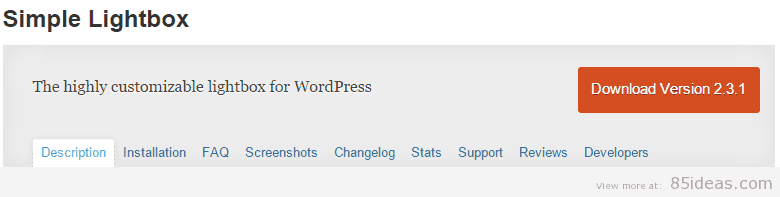
You may not find this plugin interesting at first glance, but you’re going to love it once it’s being used. Simple Lightbox is available for free from the official Plugin store and it can offer tons of features like customizable Lightbox animations, keyboard navigation, responsive (mobile phone optimized) and automatic link activation.
It can adjust the gallery size automatically as per the image dimensions. It comes with a simple to use control panel using which you can display gallery either on the homepage, sidebar, a page or anywhere around the website.
#6 FooBox Galleries

Welcome, our next premium solution that can help you develop a lot of customizable galleries and display them right on your website. It comes with different pricing options depending on number of websites you wish to use it on and it’s totally worthy of its price. To begin with, it’s totally responsive which makes all its features to work efficiently over mobile phones, smartphones, and tablet devices.
Main highlighting features include an intelligent caption, social sharing icons on individual pictures, Lightbox to enhance the picture quality while maintaining their size, forward and backward navigation and integration with NextGen. It comes with dedicated support and very easy to use and customize control panel.
Full Details & Download
Conclusion
I hope you found the best out as per your requirements. Additional to this helpful guide (I hope it helped) I need to share one little secret with you. Always make sure that the photos you’re uploading or sharing over your website is being reduced to the minimum possible size without affecting the quality. All of these plugins are great online tools if you don’t wish to compromise on quality at all. Peace.
*last updated 01/05/2021
Max
Posted at 07:00h, 09 AprilYou forgot to mention the Unite Gallery for WordPress. The best image / video gallery I know. Much better then Envira, Nextgen and the others.
codecanyon.net/item/unite-gallery-wordpress-plugin/10458750
Brian H
Posted at 15:14h, 09 AprilHi Max,
Thank you for your recommendation I will check it out shortly and keep it in mind for the next time this page is updated 🙂
Jessica Holden
Posted at 19:49h, 29 MayThanks for the interesting review. You could enlarge your list to 10 plugins). I believe Gmedia Gallery is worth checking as well. 14 modules, responsive, SEO-friendly, music and videos included. Absolutely love it!
Laura
Posted at 10:33h, 13 OctoberThanks for this tips!!
Is there any plugin that allows to access to the pictures stored google drive or google photos and create galleries, featured images and add images to the posts?
Mike C
Posted at 23:26h, 18 OctoberI just came across this one https://wordpress.org/plugins/photo-express-for-google/ while looking for exactly what you are asking. Haven’t tried yet, but seems to be good.
Laura
Posted at 13:51h, 19 OctoberYes, I tried it, but it’s not very flexible yet in terms of customization and visualization. It accesses to the google+ albums, but it doesn’t give much options for visualization. You need to select the pictures one by one inside the albums, and does not allow you to display the entire album. Still a bit far from being friendly, although they have done a great job with the plugin.
Thanks for your suggestions 🙂
Mike C
Posted at 16:16h, 19 OctoberAlso just came across this from another blog, it’s commercial, but probably worth it from what I can see:
http://codecanyon.net/item/justified-image-grid-premium-wordpress-gallery/2594251?ref=baghuis
Wedding Cards in Pakistan
Posted at 14:56h, 27 AugustDoes anyone know of a photo gallery that includes a default filter like the CM Business Directory? I want my end user to filter the images by category? It would need to have a filter feature and sit under an existing lightbox that I do not want changed. Thanks for sharing valuable image gallery plugin list.
Mark Henry
Posted at 02:17h, 20 JuneWonderful post. Thanks for sharing.
You can also try Portfolio Designer Lite. It is a free and SEO optimized WP plugin that comes with grid and masonry layout to showcase your image gallery. It offers features like 8 effective hover effects, pagination types, auto image resize, social share support, inbuilt fancybox, etc.
MOHD SUHAIL
Posted at 23:27h, 28 Januaryyour website is very good for everyone because I am learning digital marketing in delhi and I learned from your website a l0t of things and I am thankful for your webiste
Norton Support UK
Posted at 05:18h, 29 JanuaryThanks for sharing such an informative Post. Keep sharing your best posts.
AstroTalk
Posted at 04:02h, 03 FebruaryThese are the most amazing themes for my photography website and I only used NextGen afer reading your blog and that made my website look very beautiful and awesome. Thanks buddy
Nitin nair
Posted at 04:23h, 28 FebruaryVery informative article for me. Looking forward to apply those plugins 🙂
Fencer
Posted at 16:34h, 15 MarchA photo is worth a thousand words= this applies to SEO as well!